

A Canva alternativebuilt for App Store screenshots.
Canva can draw anything, which is exactly the problem: it has no idea what a store size is, what a device bezel looks like, or that the same headline has to exist in 48 languages. ScreenMocks knows all three.
The matrix is the work
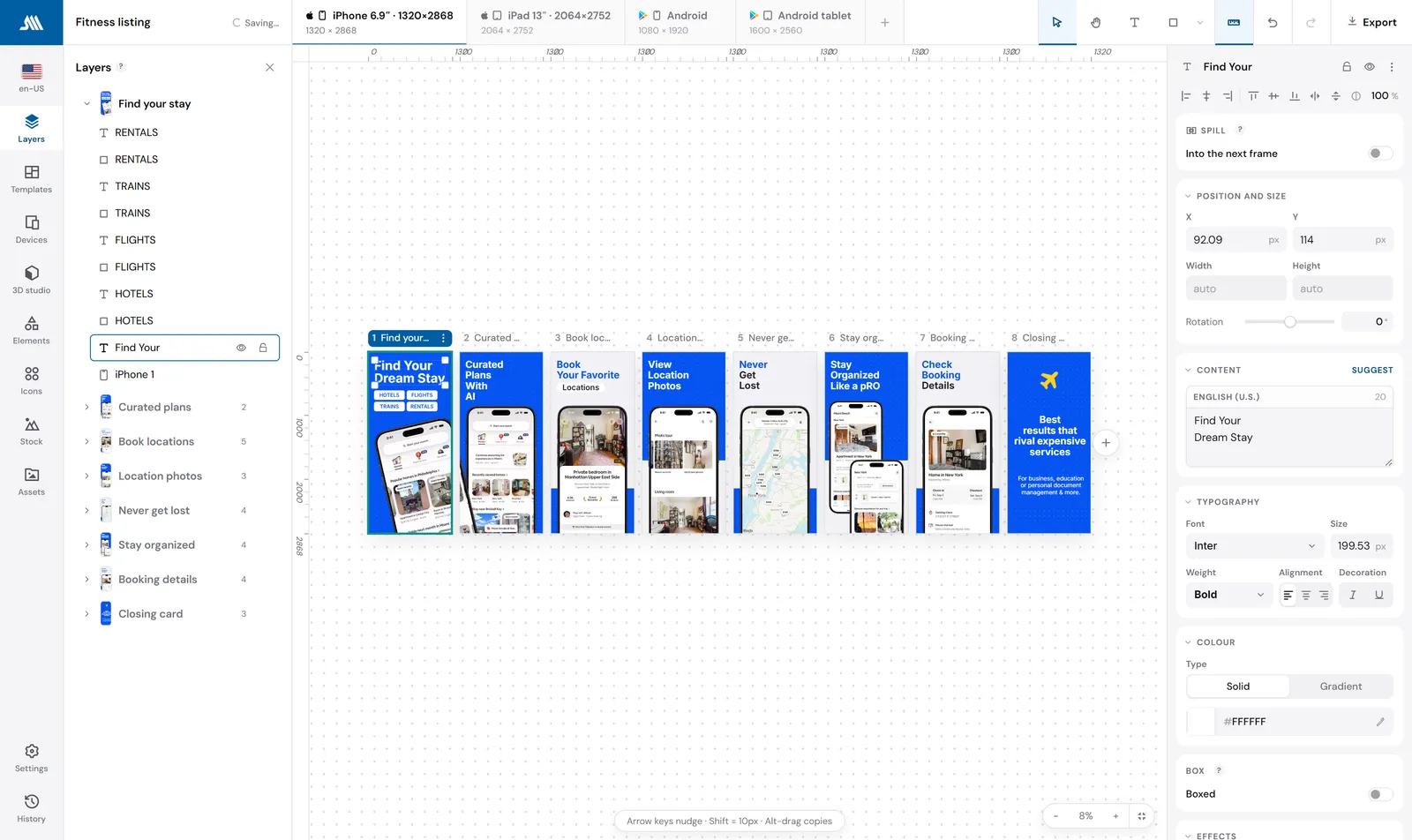
Twelve canvases times 48 locales is hundreds of artboards kept in step by hand. Here it is one design and two axes.
Store sizes are built in
Every canvas Apple and Google require, at the exact pixel dimensions, with 33 maintained device frames. No typing 1320 x 2868.
Keep the design you already made
Import your Figma file and the text stays editable, so it can be translated rather than redrawn.
Feature by feature
Every row is checked against each product's own public pricing page, documentation and live app. Where a capability is not documented anywhere public, the cell says so rather than guessing.
| Capability | ScreenMocks | Canva |
|---|---|---|
| Store awareness | ||
| Correct store canvas sizes as presetsiPhone 6.9, iPad 13, Android phone and tablet, ready to use | Type them in | |
| Maintained device frames | 33 | Find your own |
| Designing | ||
| 3D device mockupsReal GLTF models, rendered in the browser | Free tool | |
| Store awareness | ||
| iOS and Android status bar overlayDrawn over a capture that arrived without device chrome | By hand | |
| Sizes and languages | ||
| Every store size from one designPositions and copy inherit down the size axis | One artboard each | |
| Per-size layout overridesMove one layer on iPad only, leave every other canvas alone | By hand | |
| App Store locales | 48 | One file each |
| Per-locale layout overridesShrink the headline for German without touching English | By hand | |
| Different screens per sizeSix screenshots on iPhone, three on iPad, one project | By hand | |
| Workflow | ||
| Translate every headline in place | AI, paid | |
| Import a Figma file as a project | It is the source | |
| MCP connector for Claude, Cursor and Codex | ||
| Upload straight to App Store Connect | ||
| Drop a folder of captures and fill every screen | ||
| Export | ||
| One ZIP, every size and language, foldered | Export each | |
| Export and pricing | ||
| Unlimited projects, screens and exports, free | See their site | |














One design.Every canvas Apple and Google ask for.
Draw the screen once at iPhone 6.9. Every other canvas in the project reads from it, so the iPad set, the Android set and any custom size you add are already designed. Pin a layer on one canvas and it stays pinned there, and only there.
- A device frame follows the canvas: an iPhone drawn on the Play tab renders as a Pixel
- Ship six screenshots on iPhone and three on iPad from the same project
- Export writes every size and language into one ZIP, folder by folder
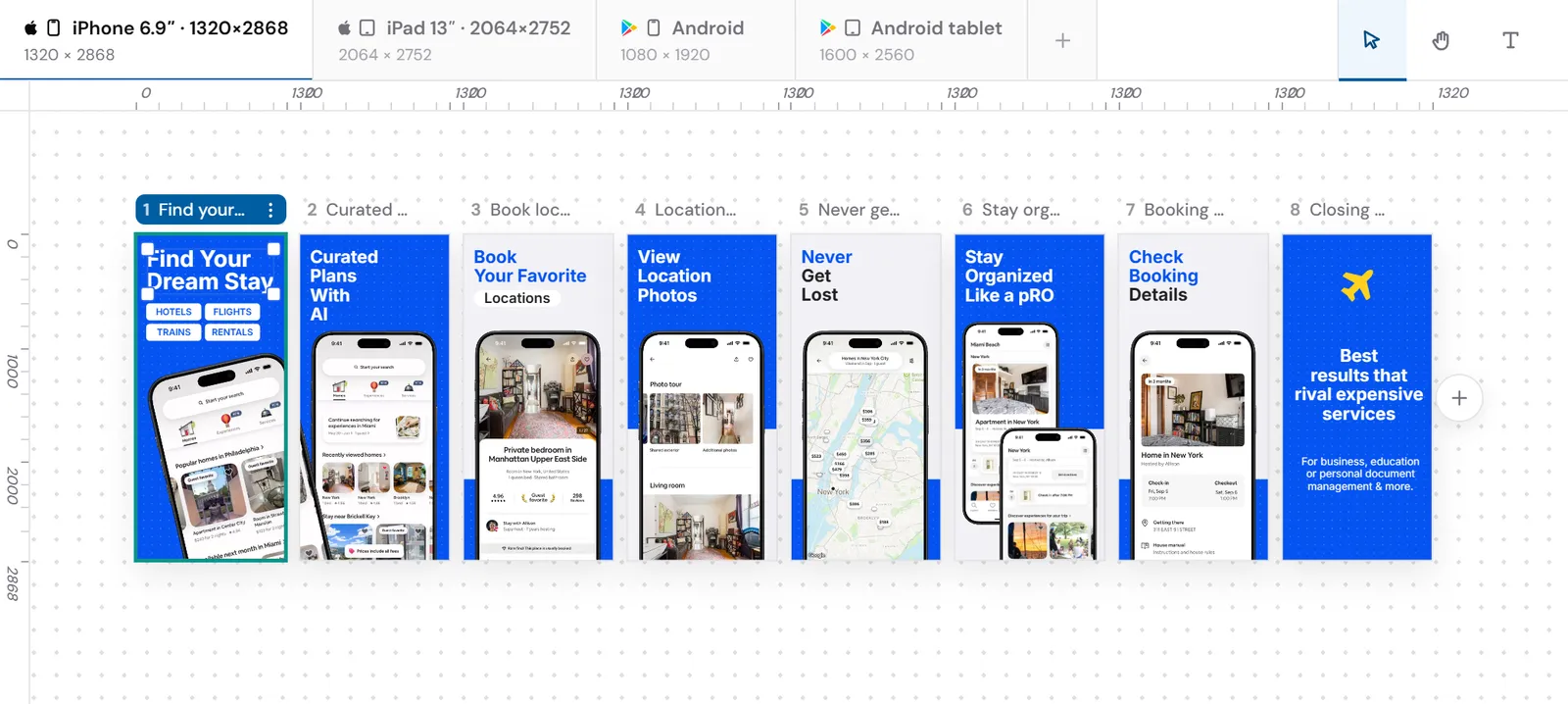
One design, four canvases, nothing redrawn.
When the German runs long,fix the German.
Every tool in this category translates in bulk now. What breaks is the screenshot where the translated headline is 40 percent longer than the English one and collides with the phone. In ScreenMocks any layer can carry a per-locale override, so you shrink that one headline in that one language and the other 47 stay exactly as you drew them.
- 48 App Store locales, right-to-left included
- Overrides are per locale, per size, or per exact cell
- AI translation fills empty lines only and never overwrites a line you wrote
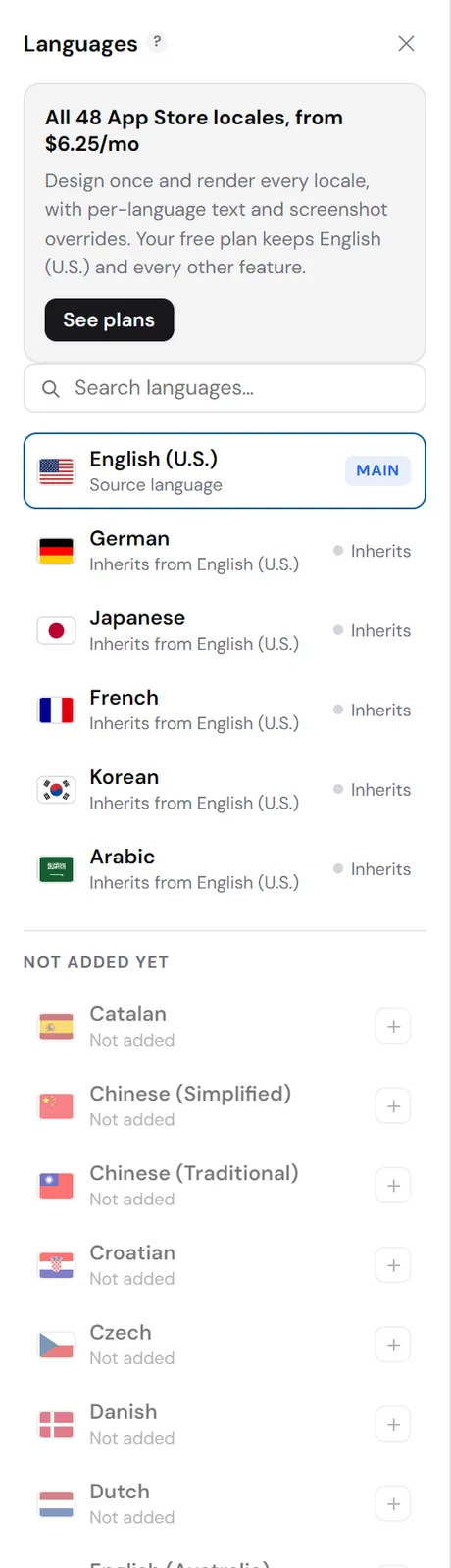
One override. Forty-seven other languages untouched.
Bring a Figma file.Or bring an agent.
If the design already exists in Figma, import it as a project: text stays editable so it can be localized, and anything that cannot be expressed exactly is rendered by Figma and brought in as an image rather than approximated. If you would rather not open a design tool at all, the MCP connector lets Claude Code, Cursor or Codex build and edit the whole set through the same API the editor uses.
- Your Figma token never reaches a ScreenMocks server
- Agents read a layout report, so they can see what they built and fix it
- Whatever an agent makes opens in the editor as a normal project
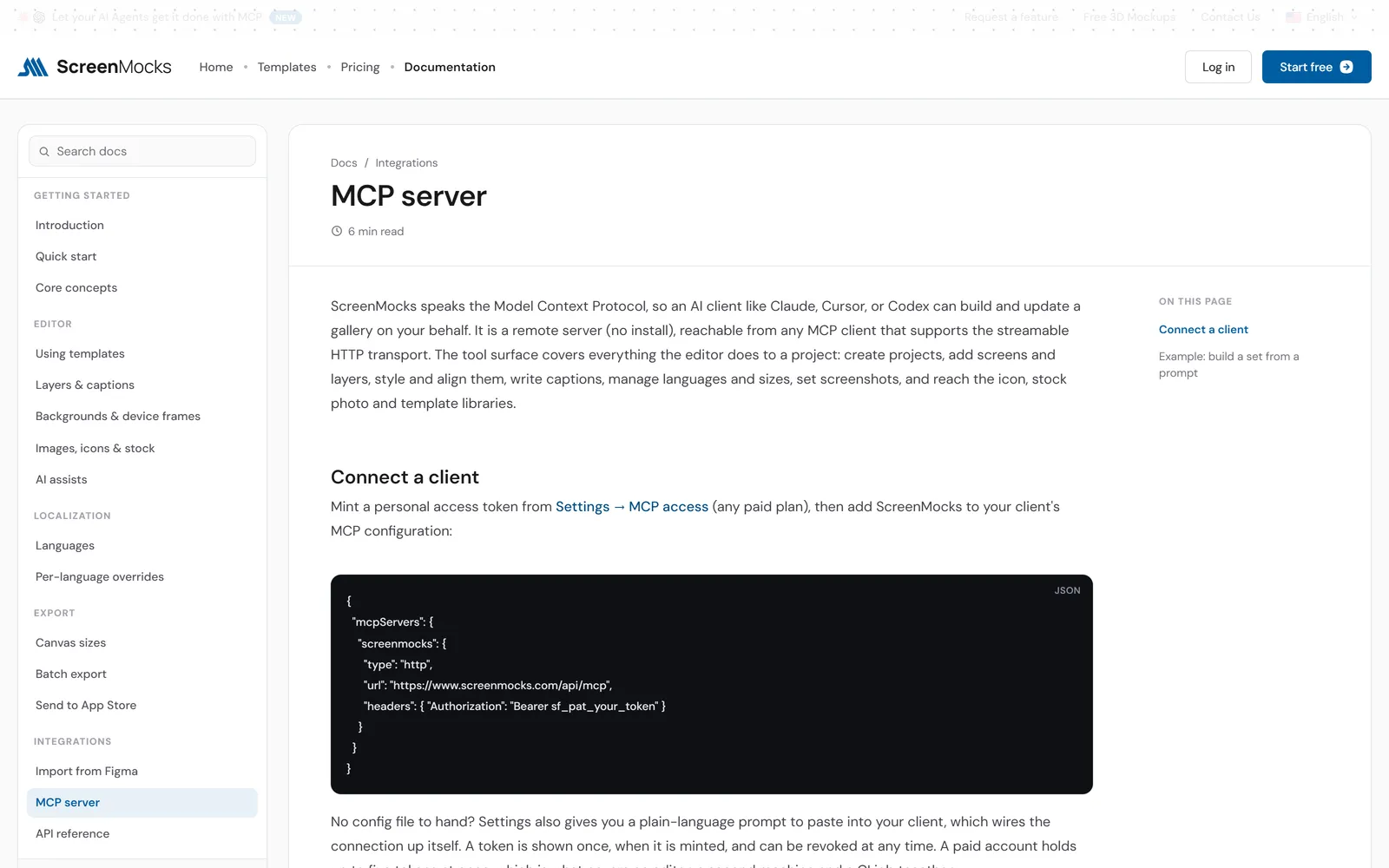
Both connectors are on every paid plan, the one-time pass included.
What each one costs
Prices as published on August 24, 2026. Check Canva's own page before you decide.
- Free plan: unlimited projects, screens, sizes and exports
- Paid removes the watermark and opens all 48 locales
- Figma Connector and MCP Connector on every paid plan
- The Launch Pass never expires and never renews
Moving over takes about twenty minutes
You need your app's captures, which you already have.
Import the file, or start from a template
Bring the Canva design across as artwork, or import a Figma file directly and keep the text editable. If it is easier to start again, 40+ templates are real designs you can take apart.
Drop your captures on the canvas
A folder of screenshots fills the empty displays in order, one per screen, with a real device frame around each one.
Add the sizes and languages
This is the part Canva made you repeat. Add a canvas and it is already designed; add a locale and it inherits every headline until you translate it.
Questions people ask before switching
Is ScreenMocks a replacement for Canva?
Only for App Store and Google Play screenshots. Canva is a general design tool and ScreenMocks does not try to be one. What it replaces is the repetitive half: maintaining the same design across a dozen canvas sizes and 48 languages, which in Canva is manual work you redo on every change.
Can I bring my existing Canva design over?
If it lives in Figma, import it directly: text stays editable so it can be localized, and anything that cannot be expressed exactly is brought in as an image rather than approximated. From any other tool, export your artwork and place it, or rebuild from a template, which for a five-screen set takes minutes rather than an afternoon.
What are the correct App Store screenshot sizes?
Apple requires 1320 x 2868 for the 6.9-inch iPhone and 2064 x 2752 for the 13-inch iPad; Google Play wants 1080 x 1920 and up. In Canva those are numbers you type into a new document every time. In ScreenMocks they are canvases you add to a project, and the design you already made appears on each one.
Do I still need Canva?
For icons, illustration and brand work, yes, and nothing here changes that. For the listing itself, most people stop opening it, because the export, the device frames and the languages are the reason they were opening it.
Is it cheaper?
ScreenMocks is free to use with a watermark on exports, $9.99 a month without one, or $149 once for the Launch Pass. The real saving is the afternoon per release you spend re-exporting artboards.
Build the set once.Ship it in 48 languages.
Free plan, no card, and every canvas size exports from the first minute. Bring a Figma file or start from a template.
Pro is $9.99 a month. The Launch Pass is $149 once and never renews.
ScreenMocks published this comparison and sells one of the products in it. Canva is a trademark of its owner and is not affiliated with ScreenMocks. Details were verified on August 24, 2026 and are reviewed quarterly. check canva.com. Out of date?