

An AppShots (iOS app) alternativethat runs in any browser.
AppShots (iOS app) is a native Mac app, which makes it fast and ties your screenshots to one machine and one operating system. ScreenMocks runs in the browser, so the project follows the account instead of the laptop.
Any machine, any OS
Windows, Linux, a borrowed laptop. The project is on the account, not in a folder on one Mac.
48 locales with real overrides
One design, every language, and a per-locale layout for the one whose words run long.
Figma in, agents on top
Import a Figma file, or let Claude Code, Cursor or Codex build the set through the MCP connector.
Feature by feature
Every row is checked against each product's own public pricing page, documentation and live app. Where a capability is not documented anywhere public, the cell says so rather than guessing.
| Capability | ScreenMocks | AppShots (iOS app) |
|---|---|---|
| Where it runs | ||
| Windows and Linux | ||
| Projects follow the account across machines | On disk | |
| Works offline | ||
| No install | ||
| Designing | ||
| Store screenshot templates | 40+ | Not published |
| Device frames | 33 | Not published |
| 3D device mockupsReal GLTF models, rendered in the browser | Free tool | Not published |
| Sizes and languages | ||
| Every store size from one designPositions and copy inherit down the size axis | ||
| Per-size layout overridesMove one layer on iPad only, leave every other canvas alone | Not published | |
| App Store locales | 48 | Varies |
| Per-locale layout overridesShrink the headline for German without touching English | Not published | |
| Different screens per sizeSix screenshots on iPhone, three on iPad, one project | Not published | |
| Workflow | ||
| Import a Figma file as a project | ||
| MCP connector for Claude, Cursor and Codex | Not published | |
| Upload straight to App Store Connect | Varies | |
| Drop a folder of captures and fill every screen | Not published | |
| Export and pricing | ||
| Rendering happens in your browserScreenshots are never sent anywhere to be composited | On device | |
| Unlimited projects, screens and exports, free | Not published | |
| Buy once, keep it | $149 | See their site |














One design.Every canvas Apple and Google ask for.
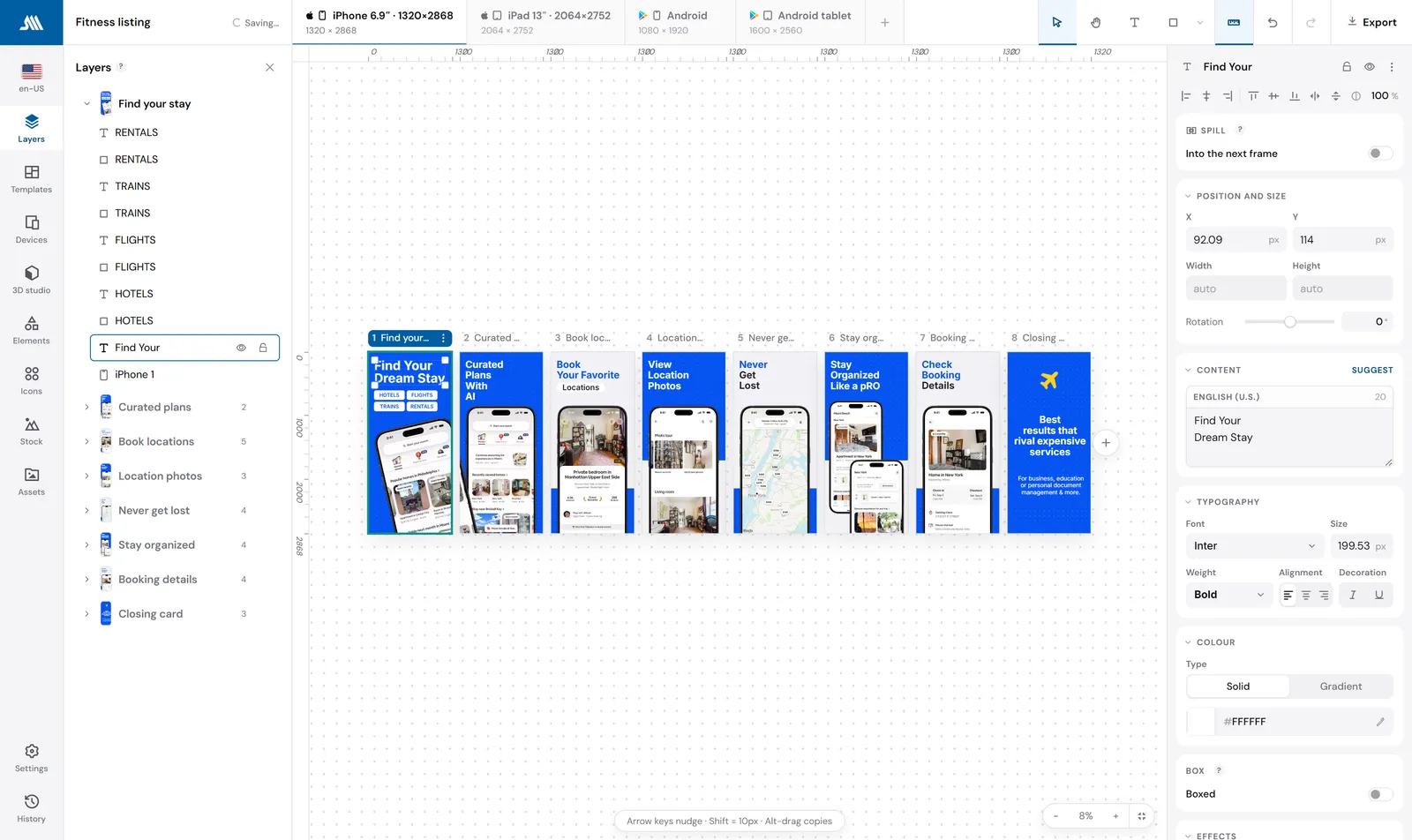
Draw the screen once at iPhone 6.9. Every other canvas in the project reads from it, so the iPad set, the Android set and any custom size you add are already designed. Pin a layer on one canvas and it stays pinned there, and only there.
- A device frame follows the canvas: an iPhone drawn on the Play tab renders as a Pixel
- Ship six screenshots on iPhone and three on iPad from the same project
- Export writes every size and language into one ZIP, folder by folder
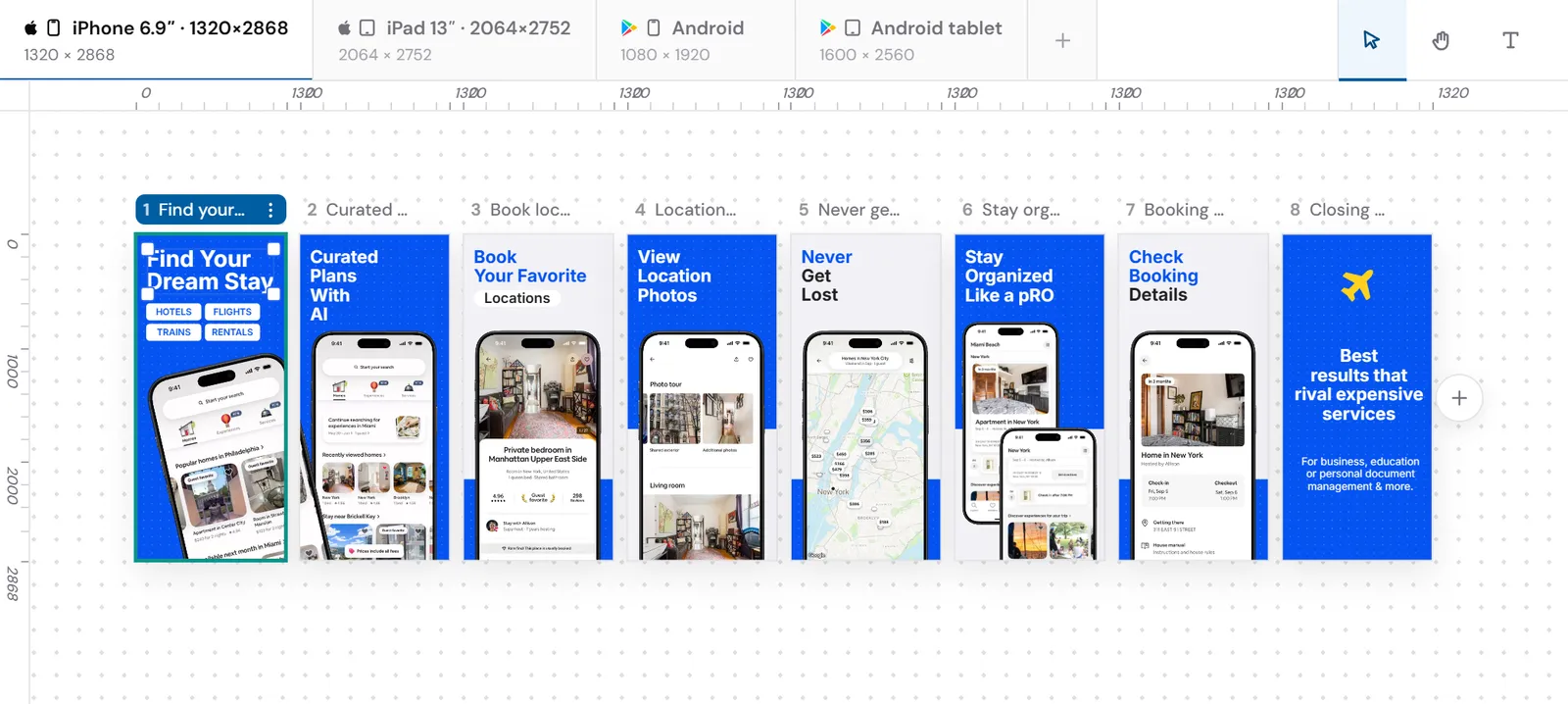
One design, four canvases, nothing redrawn.
When the German runs long,fix the German.
Every tool in this category translates in bulk now. What breaks is the screenshot where the translated headline is 40 percent longer than the English one and collides with the phone. In ScreenMocks any layer can carry a per-locale override, so you shrink that one headline in that one language and the other 47 stay exactly as you drew them.
- 48 App Store locales, right-to-left included
- Overrides are per locale, per size, or per exact cell
- AI translation fills empty lines only and never overwrites a line you wrote
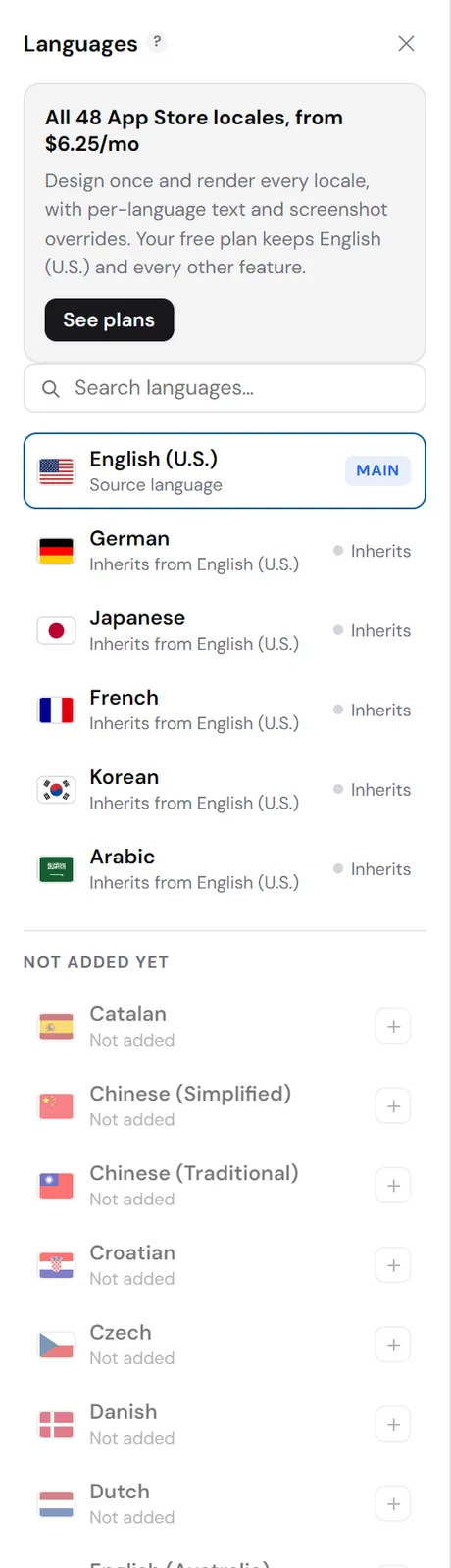
One override. Forty-seven other languages untouched.
Bring a Figma file.Or bring an agent.
If the design already exists in Figma, import it as a project: text stays editable so it can be localized, and anything that cannot be expressed exactly is rendered by Figma and brought in as an image rather than approximated. If you would rather not open a design tool at all, the MCP connector lets Claude Code, Cursor or Codex build and edit the whole set through the same API the editor uses.
- Your Figma token never reaches a ScreenMocks server
- Agents read a layout report, so they can see what they built and fix it
- Whatever an agent makes opens in the editor as a normal project
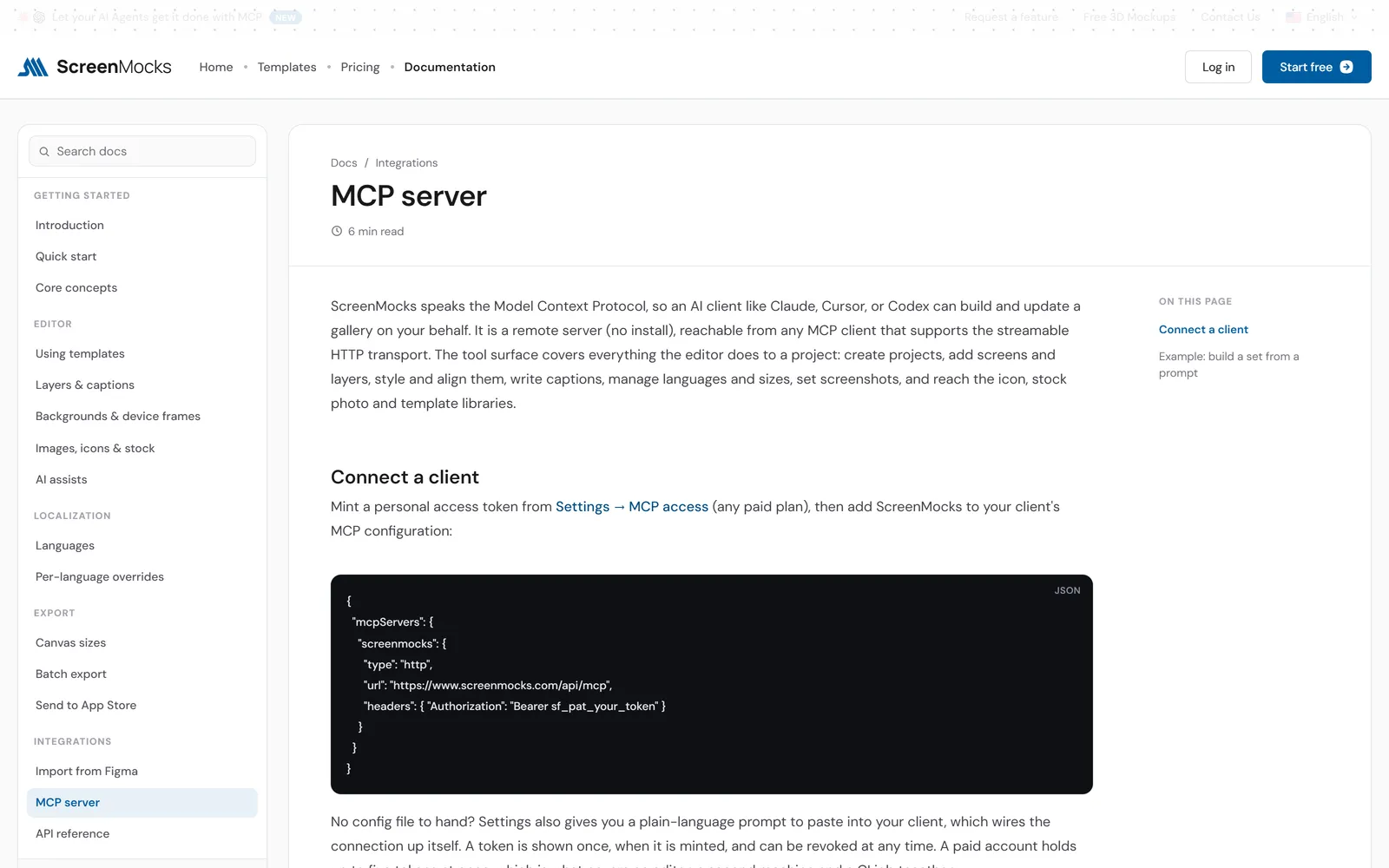
Both connectors are on every paid plan, the one-time pass included.
What each one costs
Prices as published on August 24, 2026. Check AppShots (iOS app)'s own page before you decide.
- Free plan: unlimited projects, screens, sizes and exports
- Paid removes the watermark and opens all 48 locales
- Figma Connector and MCP Connector on every paid plan
- The Launch Pass never expires and never renews
Moving over takes about twenty minutes
You need your app's captures, which you already have.
Start from a template, or your Figma file
Pick a template close to what you already ship, or import the Figma file the design came from. Either way you land in the editor with a real project, not a locked layout.
Drop your captures on the canvas
Let go of a folder of screenshots and they fill the empty displays in order, one per screen. Drop a single file on one device and it replaces just that one.
Add the sizes and languages, then export
Add the canvases and locales the listing needs. Everything inherits your design. Export writes the ZIP, or pushes straight to App Store Connect.
Questions people ask before switching
Do I need a Mac?
No, and that is the main difference. AppShots (iOS app) is a native Mac app; ScreenMocks runs in any modern browser on Windows, macOS or Linux, with no install.
Where are my projects stored?
On your account, so they follow you between machines. The rendering and the export both happen in your browser: nothing is sent anywhere to be composited, and the PNG that reaches the App Store is drawn from your document.
Does it work offline?
No. That is the honest cost of the browser, and it is what AppShots (iOS app) gives you in return for being tied to one machine.
Can I move my work across?
Bring your raw captures, which you already have. Drop the folder on the canvas and they fill every empty display in order.
Build the set once.Ship it in 48 languages.
Free plan, no card, and every canvas size exports from the first minute. Bring a Figma file or start from a template.
Pro is $9.99 a month. The Launch Pass is $149 once and never renews.
ScreenMocks published this comparison and sells one of the products in it. AppShots (iOS app) is a trademark of its owner and is not affiliated with ScreenMocks. Details were verified on August 24, 2026 and are reviewed quarterly. check appshots.app. Out of date?